=== WordPress Importer === Contributors: wordpressdotorg Donate link: https://wordpressfoundation.org/donate/ Tags: importer, wordpress Requires at least: 5.2 Tested up to: 6.8 Requires PHP: 7.2 Stable tag: 0.9.5 License: GPLv2 or later License URI: https://www.gnu.org/licenses/gpl-2.0.html Import posts, pages, comments, custom fields, categories, tags and more from a WordPress export file. == Description == The WordPress Importer will import the following content from a WordPress export file: * Posts, pages and other custom post types * Comments and comment meta * Custom fields and post meta * Categories, tags and terms from custom taxonomies and term meta * Authors For further information and instructions please see the [documention on Importing Content](https://wordpress.org/support/article/importing-content/#wordpress). == Installation == The quickest method for installing the importer is: 1. Visit Tools -> Import in the WordPress dashboard 1. Click on the WordPress link in the list of importers 1. Click "Install Now" 1. Finally click "Activate Plugin & Run Importer" If you would prefer to do things manually then follow these instructions: 1. Upload the `wordpress-importer` folder to the `/wp-content/plugins/` directory 1. Activate the plugin through the 'Plugins' menu in WordPress 1. Go to the Tools -> Import screen, click on WordPress == Changelog == = 0.9.5 = * Rewrite CSS URLs in block markup (e.g., cover blocks with background images). * Code refactoring: Extract import processing logic into separate methods to prepare for future streaming support. * Update Playwright and @playwright/test dependencies from 1.55.0 to 1.56.1. * Clean up vendor-patched dependencies by removing dotfiles and GitHub workflow files. = 0.9.4 = * Fix a bug that caused self-closing blocks to be incorrectly serialized during URL rewriting. = 0.9.3 = * Rewrite attachment URLs to the new URL structure = 0.9.2 = * Rewrite site URLs in block attributes. = 0.9.1 = * Add support for rewriting site URLs in post content and excerpts. = 0.9.0 = * Introduce a new XML parser class `WXR_Parser_XML_Processor` that replaces the deprecated `WXR_Parser_Regex` class. = 0.8.4 = * Fix a bug on deserialization of untrusted input. * Update compatibility tested-up-to to WordPress 6.7.2. = 0.8.3 = * Update compatibility tested-up-to to WordPress 6.7. * Update call to `post_exists` to include `post_type` in the query * PHP 8.4 compatibility fixes. = 0.8.2 = * Update compatibility tested-up-to to WordPress 6.4.2. * Update doc URL references. * Adjust workflow triggers. = 0.8.1 = * Update compatibility tested-up-to to WordPress 6.2. * Update paths to build status badges. = 0.8 = * Update minimum WordPress requirement to 5.2. * Update minimum PHP requirement to 5.6. * Update compatibility tested-up-to to WordPress 6.1. * PHP 8.0, 8.1, and 8.2 compatibility fixes. * Fix a bug causing blank lines in content to be ignored when using the Regex Parser. * Fix a bug resulting in a PHP fatal error when IMPORT_DEBUG is enabled and a category creation error occurs. * Improved Unit testing & automated testing. = 0.7 = * Update minimum WordPress requirement to 3.7 and ensure compatibility with PHP 7.4. * Fix bug that caused not importing term meta. * Fix bug that caused slashes to be stripped from imported meta data. * Fix bug that prevented import of serialized meta data. * Fix file size check after download of remote files with HTTP compression enabled. * Improve accessibility of form fields by adding missing labels. * Improve imports for remote file URLs without name and/or extension. * Add support for `wp:base_blog_url` field to allow importing multiple files with WP-CLI. * Add support for term meta parsing when using the regular expressions or XML parser. * Developers: All PHP classes have been moved into their own files. * Developers: Allow to change `IMPORT_DEBUG` via `wp-config.php` and change default value to the value of `WP_DEBUG`. = 0.6.4 = * Improve PHP7 compatibility. * Fix bug that caused slashes to be stripped from imported comments. * Fix for various deprecation notices including `wp_get_http()` and `screen_icon()`. * Fix for importing export files with multiline term meta data. = 0.6.3 = * Add support for import term metadata. * Fix bug that caused slashes to be stripped from imported content. * Fix bug that caused characters to be stripped inside of CDATA in some cases. * Fix PHP notices. = 0.6.2 = * Add `wp_import_existing_post` filter, see [Trac ticket #33721](https://core.trac.wordpress.org/ticket/33721). = 0.6 = * Support for WXR 1.2 and multiple CDATA sections * Post aren't duplicates if their post_type's are different = 0.5.2 = * Double check that the uploaded export file exists before processing it. This prevents incorrect error messages when an export file is uploaded to a server with bad permissions and WordPress 3.3 or 3.3.1 is being used. = 0.5 = * Import comment meta (requires export from WordPress 3.2) * Minor bugfixes and enhancements = 0.4 = * Map comment user_id where possible * Import attachments from `wp:attachment_url` * Upload attachments to correct directory * Remap resized image URLs correctly = 0.3 = * Use an XML Parser if possible * Proper import support for nav menus * ... and much more, see [Trac ticket #15197](https://core.trac.wordpress.org/ticket/15197) = 0.1 = * Initial release == Frequently Asked Questions == = Help! I'm getting out of memory errors or a blank screen. = If your exported file is very large, the import script may run into your host's configured memory limit for PHP. A message like "Fatal error: Allowed memory size of 8388608 bytes exhausted" indicates that the script can't successfully import your XML file under the current PHP memory limit. If you have access to the php.ini file, you can manually increase the limit; if you do not (your WordPress installation is hosted on a shared server, for instance), you might have to break your exported XML file into several smaller pieces and run the import script one at a time. For those with shared hosting, the best alternative may be to consult hosting support to determine the safest approach for running the import. A host may be willing to temporarily lift the memory limit and/or run the process directly from their end. -- [Support Article: Importing Content](https://wordpress.org/support/article/importing-content/#before-importing) == Filters == The importer has a couple of filters to allow you to completely enable/block certain features: * `import_allow_create_users`: return false if you only want to allow mapping to existing users * `import_allow_fetch_attachments`: return false if you do not wish to allow importing and downloading of attachments * `import_attachment_size_limit`: return an integer value for the maximum file size in bytes to save (default is 0, which is unlimited) There are also a few actions available to hook into: * `import_start`: occurs after the export file has been uploaded and author import settings have been chosen * `import_end`: called after the last output from the importer Biaya Pembuatan Kemasan 2026 - Mulai 100 Pcs di Nusa Pack Skip to main content

Jasa Cetak Kemasan Custom Berkualitas | Nusa Pack

Panduan Lengkap Biaya Pembuatan Kemasan untuk UMKM & Brand (Update 2026)

Panduan Lengkap Biaya Pembuatan Kemasan untuk UMKM & Brand (Update 2026)

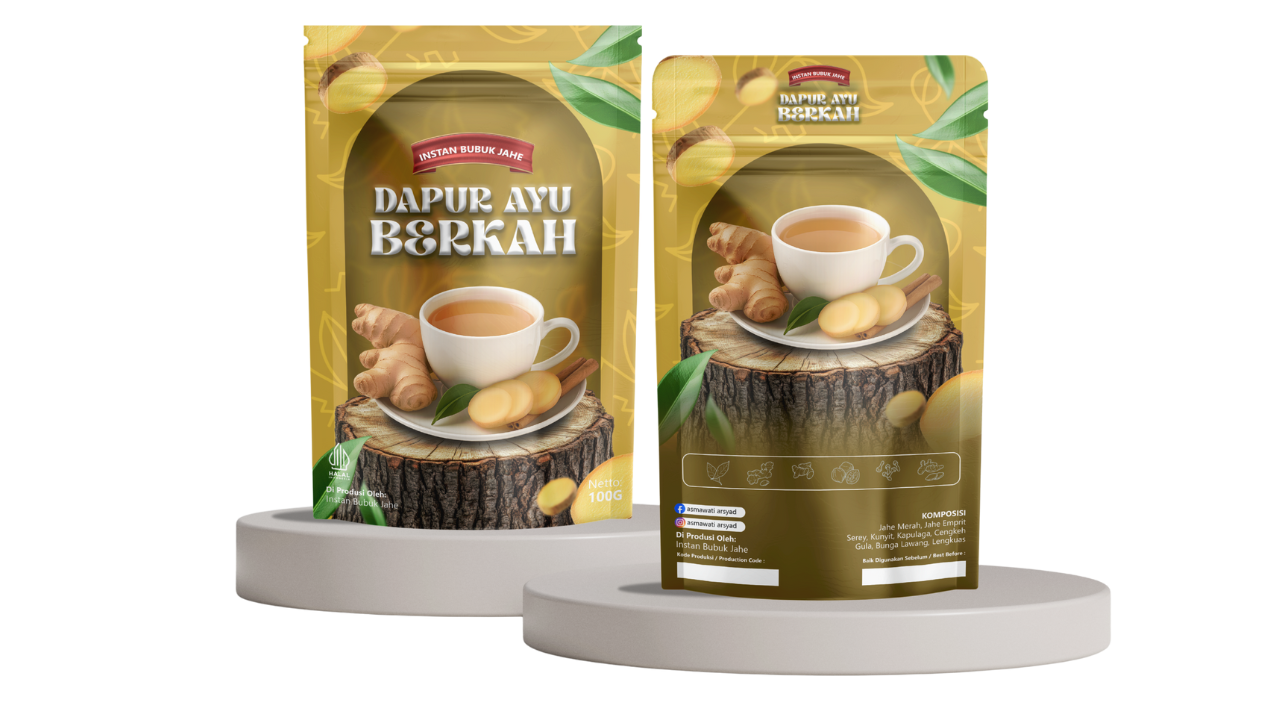
kemasan standing pouch custom Nusa Pack

Menentukan biaya pembuatan kemasan sering kali menjadi tantangan tersendiri bagi pemilik bisnis. Di satu sisi, Anda ingin kemasan yang terlihat premium untuk meningkatkan nilai jual, namun di sisi lain, efisiensi modal sangatlah penting.

Sebagai partner terpercaya ribuan brand, Nusa Pack hadir memberikan transparansi mengenai rincian biaya dan paket produksi yang dapat disesuaikan dengan skala bisnis Anda. Simak ulasan lengkapnya berikut ini.

Faktor yang Mempengaruhi Biaya Pembuatan Kemasan

Sebelum melihat daftar harga, penting untuk memahami apa saja yang menentukan murah atau mahalnya sebuah kemasan:

  • Kuantitas (MOQ): Semakin banyak jumlah pesanan (Minimum Order Quantity), maka harga satuan (per pcs) akan jauh lebih murah.
  • Jenis Material: Bahan untuk Standing Pouch aluminium foil tentu berbeda harganya dengan Box karton atau Shopping Bag.
  • Teknik Cetak & Finishing: Penggunaan fitur tambahan seperti Spot UV, Emboss (tekstur timbul), atau Gold Foil akan menambah biaya namun memberikan kesan mewah yang signifikan.
  • Layanan Desain: Banyak pengusaha terbebani biaya desain. Di Nusa Pack, Anda bisa mendapatkan solusi desain gratis dalam paket tertentu.

Rincian Paket & Estimasi Biaya di Nusa Pack

Nusa Pack membagi kategori biaya berdasarkan fase pertumbuhan bisnis Anda. Berikut adalah detail informasinya:

1. Paket Level Up Kickstart (Untuk Pemula)

Cocok bagi UMKM yang baru melakukan branding dan ingin melakukan riset pasar tanpa risiko stok menumpuk.

  • Minimal Order: 100 pcs.
  • Fasilitas Tambahan: Free Ebook Bisnis, Digital Marketing, dan akses grup komunitas.
  • Keunggulan: Modal minim, risiko rendah.

2. Paket Level Up Boost (Untuk Scale-Up)

Diperuntukkan bagi bisnis yang sudah mulai stabil dan ingin memperkuat identitas brand.

  • Minimal Order: 500 pcs.
  • Fasilitas Tambahan: Gratis Desain Kemasan dan Foto Produk Profesional.
  • Keunggulan: Hemat biaya jasa desainer dan fotografer hingga jutaan rupiah.

3. Paket Level Up Max (Untuk Brand Nasional)

Level premium untuk brand yang membutuhkan kecepatan produksi dan ekspansi pasar secara masif.

  • Minimal Order: > 2.000 pcs.
  • Fasilitas Tambahan: Priority Production (antrean cepat), Konsultasi Bisnis 1-on-1 dengan Coach Profesional, dan diskon desain marketplace.
  • Keunggulan: Harga per pcs paling kompetitif (harga grosir).

Mengapa Memilih Nusa Pack untuk Produksi Kemasan?

Nusa Pack bukan sekadar vendor percetakan, melainkan growth partner bisnis Anda. Berikut nilai tambah yang didapatkan:

  • Jaminan Kualitas (QC Photo Report): Anda akan menerima laporan foto hasil produksi sebelum barang dikirim.
  • Repeat Saver: Diskon 1-2% atau bonus tambahan bagi Anda yang melakukan pemesanan rutin setiap 90 hari.
  • One Stop Solution: Mulai dari konsultasi, desain, cetak, hingga edukasi marketing dalam satu pintu.
Berapa minimum order (MOQ) pembuatan kemasan di Nusa Pack?

MOQ sangat ringan, mulai dari 100 pcs saja Anda sudah bisa memiliki kemasan custom full print.

Apakah harga sudah termasuk biaya desain?

Jika Anda mengambil Paket Level Up Boost (500 pcs) ke atas, layanan desain kemasan diberikan secara GRATIS.

Bagaimana cara mendapatkan harga grosir paling murah?

Harga grosir otomatis didapatkan untuk pemesanan di atas 2.000 pcs (Paket Level Up Max). Semakin tinggi kuantitas, semakin rendah biaya produksi per unitnya.

Apakah ada biaya tambahan untuk pengiriman?

Biaya kirim bergantung pada lokasi dan jasa ekspedisi yang dipilih. Nusa Pack melayani pengiriman ke seluruh Indonesia dengan pilihan kurir instan untuk wilayah Jabodetabek.

Berapa lama waktu produksinya?

Rata-rata proses pengerjaan adalah 7–14 hari kerja, tergantung kerumitan desain dan jenis finishing yang dipilih.

Share the Post:

Related Posts